You open the app to check one thing, and 40 minutes later you know a lot about a stranger's kitchen remodel and feel worse than when you started. That's not a character flaw. Feeds are built so there's never a natural place to stop.
Below is how to stop doomscrolling with eight fixes, most of which take under two minutes to set up, plus what to do instead of scrolling and how to stop at night, when it's hardest.
What is doomscrolling?
Doomscrolling is scrolling through social media or news feeds for a long time, usually through bad news, long after it stopped being useful or enjoyable. The word took off in 2020, and Oxford Languages included it in its report on the words of that year, as NPR reported.
Researchers now measure it with questionnaires. In a 2022 study by Bhakti Sharma and colleagues in Technology, Mind, and Behavior, people who scored high on doomscrolling also tended to report fear of missing out, problematic social media use, anxiety and weaker self-control. Younger adults, men and the politically engaged scored higher.
In practice you know it when you're doing it: your thumb is moving, you're not enjoying it, and you haven't decided to keep going.
Why is it so hard to stop scrolling?
It's hard to stop scrolling because the feed never ends, so your brain never gets a natural cue to stop. A book has chapters and a TV episode has credits. A feed just loads more.
Aza Raskin, who designed infinite scroll in 2006, told the BBC in 2018 that he hadn't meant to make it addictive. He said that if your brain doesn't get time to catch up with your impulses, you just keep scrolling, and that business models reward apps for getting people to spend more and more time in them.
You're not the only one fighting it. In a 2025 Pew Research Center survey, 41% of US adults said they're online almost constantly. In a 2026 Pew survey, 53% said they spend too much time on their smartphone, including 70% of adults under 30.
Is doomscrolling bad for you?
Doomscrolling is linked to worse mood, but most of the research shows a link, not proof that scrolling causes it. A 2023 study by Satici and colleagues in Applied Research in Quality of Life found that people who doomscrolled more reported more psychological distress and lower well-being. That's survey data, and it can run both ways: people who already feel bad may scroll more.
The best experimental evidence comes from cutting back. In a 2018 experiment by Melissa Hunt and colleagues, 143 University of Pennsylvania students were randomly assigned either to limit Facebook, Instagram and Snapchat to 10 minutes per app per day for three weeks, or to use them as usual. The limited group reported significantly less loneliness and depression than the control group. It was a small, short study of college students, so treat it as a promising sign, not a guarantee.
Doomscrolling isn't a medical diagnosis, and this article isn't medical advice. If scrolling is tied up with anxiety or low mood that won't lift, talk to a doctor or a licensed therapist. In the US, you can call or text 988 any time to reach the 988 Suicide and Crisis Lifeline.
How to stop doomscrolling: 8 fixes that don't need willpower
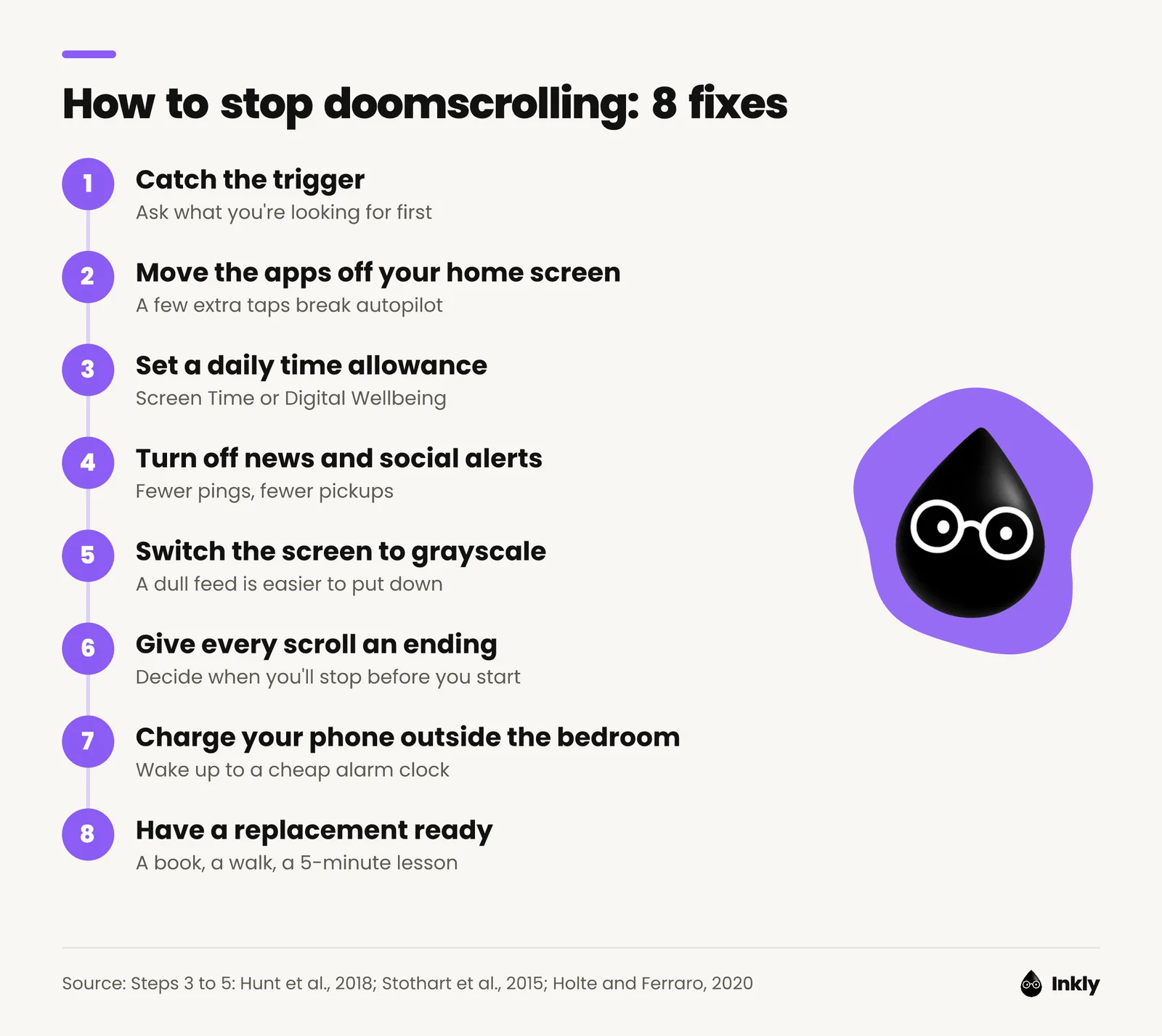
You stop doomscrolling by making the scroll harder to start and easier to end. Here are the eight fixes, from the quickest to set up to the one that takes a little practice:
- Catch the trigger before you open the app.
- Move the apps off your home screen.
- Set a daily time allowance.
- Turn off news and social notifications.
- Switch the screen to grayscale.
- Give every scroll an ending.
- Charge your phone outside the bedroom.
- Have a replacement ready.
1. Catch the trigger
Before you open a feed, ask yourself one question: "What am I looking for?" If you have an answer ("the score," "my friend's message"), go get it and close the app. If you don't, that's the scroll talking. Most doomscrolling starts in the same few moments: waking up, waiting, avoiding a task, and lying in bed. Knowing your moments tells you which fixes below matter most.
2. Move the apps off your home screen
Put the apps you doomscroll in a folder on your last screen, or delete them and use the website, which is usually clunkier. Logging out after each session works too. A few extra taps won't stop you when you really want to check something, but they break the autopilot reach that opens an app before you've decided to.
3. Set a daily time allowance
Give your social and news apps a daily limit, so the phone says "that's enough" for you.
- iPhone (iOS 27): go to Settings > Screen Time > Time Allowances, then pick a category like Social Media or Entertainment and set a limit, according to Apple's Screen Time guide. On iOS 26 and earlier, the same setting is called App Limits.
- Android: go to Settings > Digital Wellbeing > App timers and tap the timer next to an app, per Google's Digital Wellbeing help page. When time runs out the app closes and its icon dims until midnight. Menus vary a little by phone maker.
Start with a limit you can live with, like 30 minutes a day for social apps combined. That's roughly what the students in the Hunt study were held to: 10 minutes each on three apps. You can always ignore a limit once you hit it, but you'll notice yourself doing it, and that's half the point.
If the built-in limits are too easy to dismiss, app blockers like Opal and Forest add more friction. Our roundup of self-improvement apps covers both, with their free plans.
4. Turn off news and social notifications
Turn off notifications for every news and social app, and keep them for people (calls, messages) and things you'd act on right away. Every ping is an invitation to start scrolling. In a 2015 experiment by Cary Stothart and colleagues, just receiving a phone notification, without picking up the phone, disrupted performance on an attention task about as much as actually using the phone.
On iPhone, go to Settings > Notifications and switch off Allow Notifications for each app. On most Android phones, go to Settings > Notifications > App notifications.
5. Switch the screen to grayscale
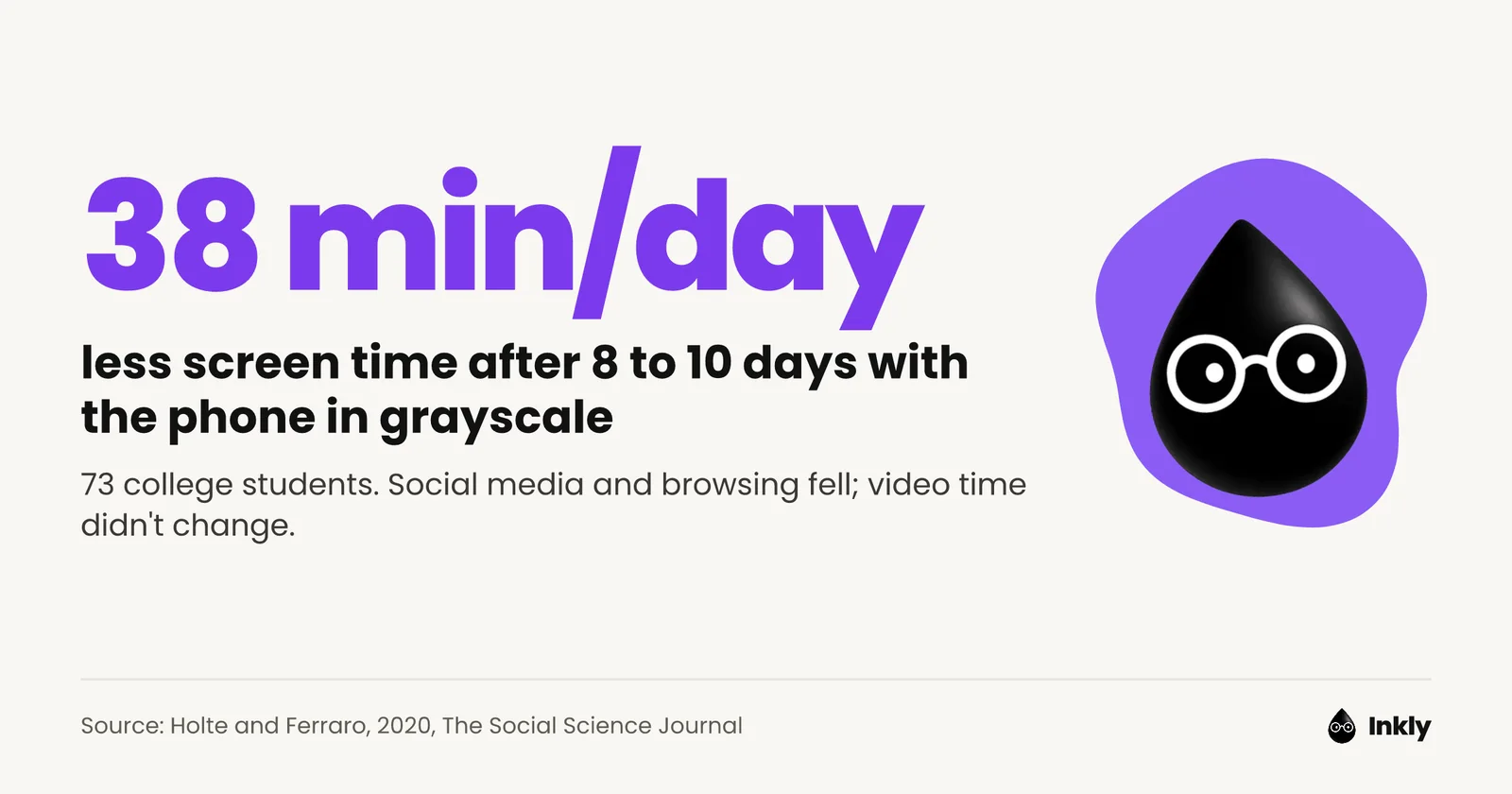
Set your phone to grayscale, and the feed gets duller. In a 2020 study by Alex Holte and Richard Ferraro, 73 college students who used grayscale for 8 to 10 days cut their screen time by about 38 minutes a day on average, mostly from social media and browsing. Video time didn't change, and grayscale didn't improve their anxiety or depression scores more than the control group's. Raskin, the infinite-scroll designer, told the BBC he keeps his own phone in monochrome mode.
- iPhone: Settings > Accessibility > Display & Text Size > Color Filters, turn on Color Filters, and choose grayscale (Apple's display colors guide). To flip it on and off fast, add Color Filters under Settings > Accessibility > Accessibility Shortcut, then triple-click the side button.
- Android: Settings > Digital Wellbeing > Bedtime mode includes a grayscale option for the evening. Some phones also offer grayscale all day in their display or accessibility settings.
6. Give every scroll an ending
Decide when you'll stop before you start, because the feed won't decide for you. Pick a stopping point you can see: "until the kettle boils," "two minutes," or "until I've seen what my sister posted." If you like a hard stop, set a timer before you open the app. Putting the phone down when the timer goes off is a small habit, and it gets easier with practice.
7. Charge your phone outside the bedroom
Charge your phone in another room overnight and use a cheap alarm clock to wake up. It's the single fix that kills both the late-night scroll and the first-thing-in-the-morning scroll. If the phone has to stay in the bedroom, put it across the room, not on the nightstand. More on nights below.
8. Have a replacement ready
Decide in advance what you'll do instead, because "stop scrolling" leaves a gap your thumb will fill. The replacement should be just as easy to start: a book on the nightstand, earbuds with an audiobook, a short walk. The next section has a list.
How do you stop doomscrolling at night?
You stop doomscrolling at night by keeping the phone out of reach once you're in bed and scheduling your phone to wind down before you do.
- Schedule a wind-down. On iPhone, use Sleep Focus (Control Center > Focus > Sleep), which follows the sleep schedule in the Health app, or set a Screen Time Schedule for the evening. On Android, turn on Bedtime mode under Settings > Digital Wellbeing, with grayscale and a dark screen.
- Plug it in across the room at the start of your wind-down, not when you finally decide to sleep.
- Put a book on the pillow. If your hands want something to hold, give them a paperback. Ten pages of a book is a better last thing to see than a feed.
- No news after a set time. Bad news at 11 p.m. is still bad news at 7 a.m., and you can't do anything about most of it tonight.
What can you do instead of scrolling?
Do something that's just as easy to start but has an end, so you stop on your own. Match the replacement to the reason you reached for the phone:
| If you scroll because you're | Do this instead | Takes |
|---|---|---|
| Bored while waiting | Read a few pages of a book on your phone's reading app | 2 to 10 minutes |
| Avoiding a task | Do the first two minutes of the task, then decide | 2 minutes |
| Tired but wired at night | Read a paperback in bed with the phone across the room | 10 to 20 minutes |
| Anxious about the news | Check one trusted source once, at a set time | 5 minutes |
| Lonely | Message one real person instead of watching strangers | 2 minutes |
| Restless | Walk around the block, phone in your pocket | 10 minutes |
| Wanting to learn something | Do one short lesson in a learning app | 5 minutes |
Reading is our favorite swap, and it's how a lot of people end up reading more. Our guide on how to read more books shows how 20 minutes a day adds up to about 23 books a year. If you don't have a book you're excited about, the free book recommendation quiz gives you three picks in about a minute. Short reads with a point help too: our list of the best self-improvement books includes Johann Hari's Stolen Focus, about why attention breaks down beyond willpower.
If you'd rather swap the scroll for something that still lives on your phone, a short-lesson app gives your thumb a feed with an end. Our list of the best microlearning apps compares fifteen of them.
Inkly is our app, so weigh this accordingly. It's an iPhone app that turns big ideas from non-fiction books into short daily lessons with a quick quiz after each one, so there's a clear end to each session. It's free to download on the App Store, and the daily lessons need an Inkly Unlimited subscription.

How long does it take to break the scrolling habit?
Expect it to take weeks to months, not days. In the best-known study of habit formation, a new daily habit took a median of 66 days to feel automatic, with a range of 18 to 254 days. Our guide on how long it takes to form a habit covers that research and what to do when you slip. The short version: missing one day didn't undo progress.
The phone settings (fixes 2 to 5 and 7) work from day one because they don't depend on the habit being built. The replacement habit is the slow part. A printable habit tracker on the fridge, with one check for each night the phone slept outside the bedroom, makes the streak visible.
FAQ
Why do I doomscroll?
Most people doomscroll because the feed has no stopping point and they reach for the phone in moments of boredom, stress or tiredness. Notifications add more chances to start. Survey research links heavier doomscrolling with fear of missing out and weaker self-control, but those are links, not a diagnosis of you.
Is doomscrolling an addiction?
Doomscrolling isn't an official diagnosis. Researchers study it alongside "problematic" social media use, and it shows up with habit-like patterns such as checking without deciding to. If your phone use is hurting your sleep, work or relationships and you can't cut back, talk to a doctor or a licensed therapist.
Does grayscale really reduce screen time?
In one study, yes. Holte and Ferraro (2020) found that 73 college students who used grayscale for 8 to 10 days cut their screen time by about 38 minutes a day, mostly from social media and browsing. It's one small study, but the setting is free and takes 30 seconds to try.
How do I stop doomscrolling the news?
Turn off news notifications, pick one or two trusted sources, and check them once or twice a day at set times. Avoid news in the last hour before bed. Being informed takes a few minutes; most of the rest is repetition of the same story.
What is a healthy amount of social media a day?
There's no single agreed limit for adults. In one 2018 experiment, college students who held Facebook, Instagram and Snapchat to 10 minutes each per day for three weeks reported less loneliness and depression than students who used them as usual. A total of about 30 minutes a day is a reasonable starting point to test on yourself.
What apps help you stop doomscrolling?
Start with what's already on your phone: Screen Time on iPhone and Digital Wellbeing on Android both set daily limits and bedtime schedules for free. App blockers like Opal and Forest add more friction. Learning apps can replace the scroll with something that has an end.